Routines,
made fun!
Taskiddo turns tasks and routines into a shared game — for families, classrooms, teams, or any group. Everyone earns points, builds streaks, unlocks achievements, and redeems rewards from a catalog you set up.
How it works
Set it up in minutes
Built for any group — no complicated setup, no app to manage.
Add profiles for your group
Give everyone their own profile with a name, emoji, and color.
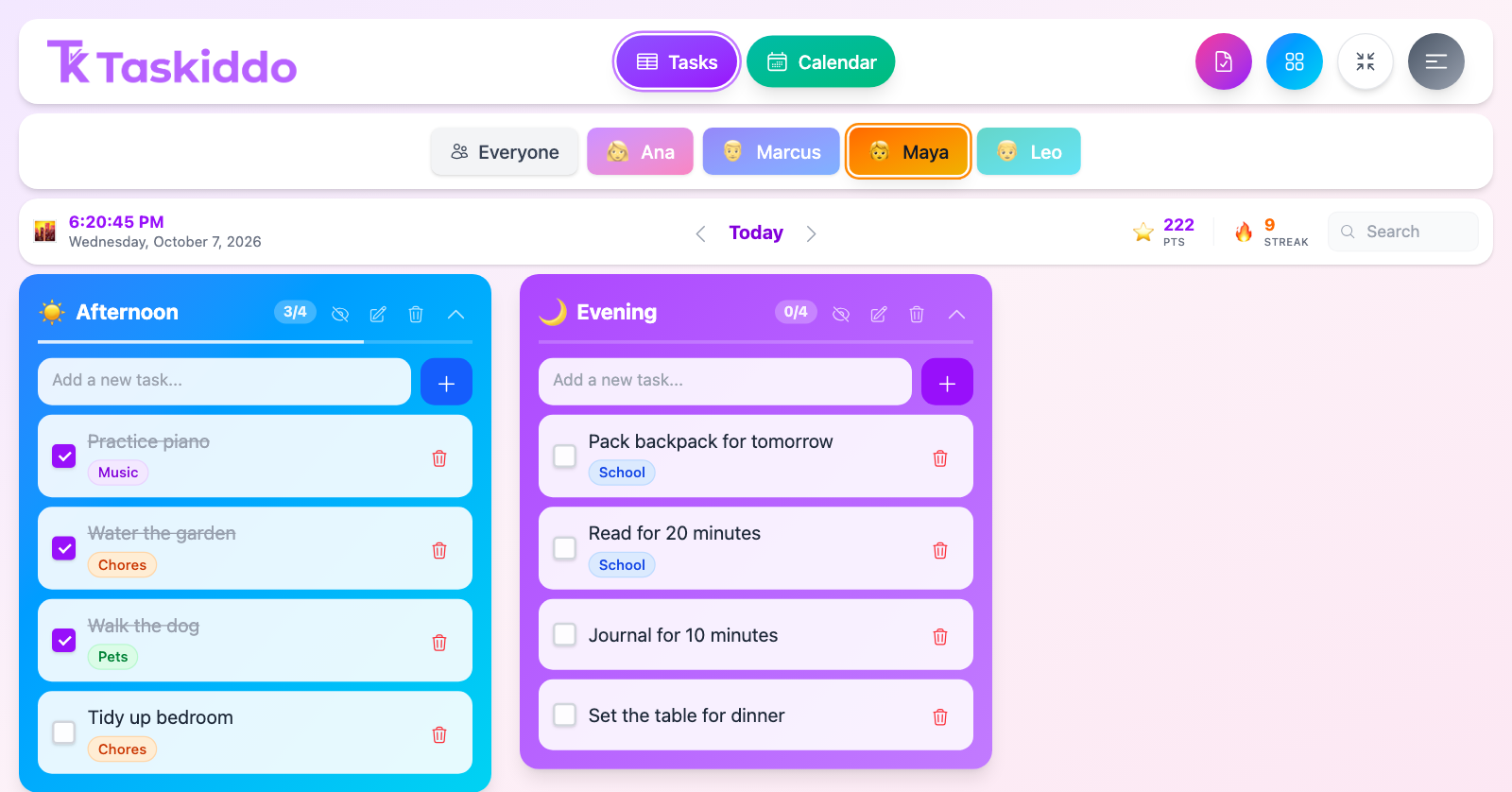
Set up sections & tasks
Morning, afternoon, evening — with one-time or repeating tasks that show up automatically.
Earn, streak, redeem
Everyone completes tasks for points, builds streaks, and redeems rewards from a catalog you set up.
Features
Everything a shared routine needs
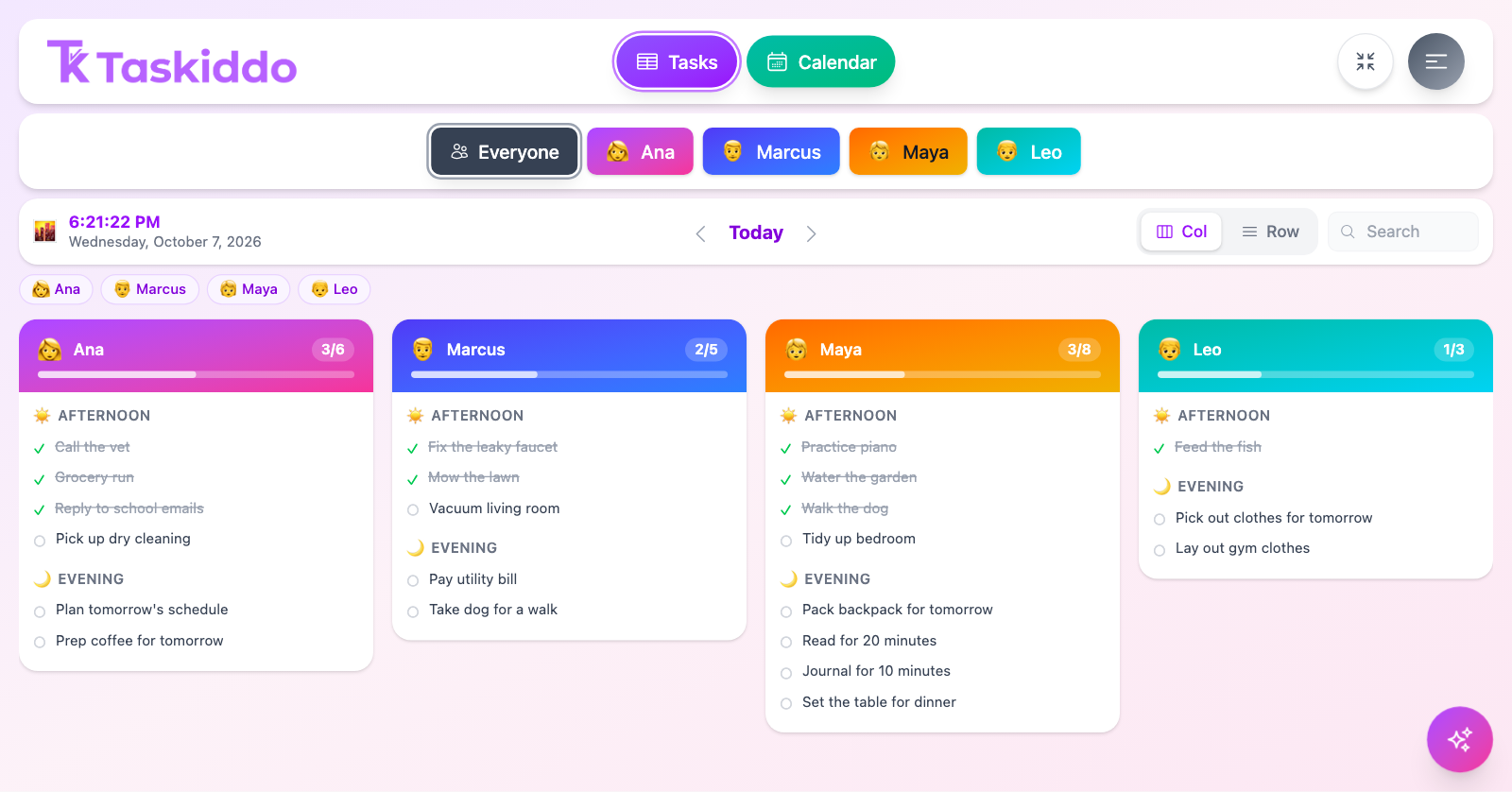
Profiles for everyone
Give everyone in your group their own profile with a name, color, and an emoji or photo.
Sections that fit your day
Morning, afternoon, evening — shared across the group or unique to each person, reorder however you like.
Repeating tasks that just show up
Set a task to repeat daily, weekly, or every few days — it appears on its own, no re-adding.
Points & streak multipliers
Every task earns points, and longer streaks multiply the reward — up to 2x at a 30-day streak.
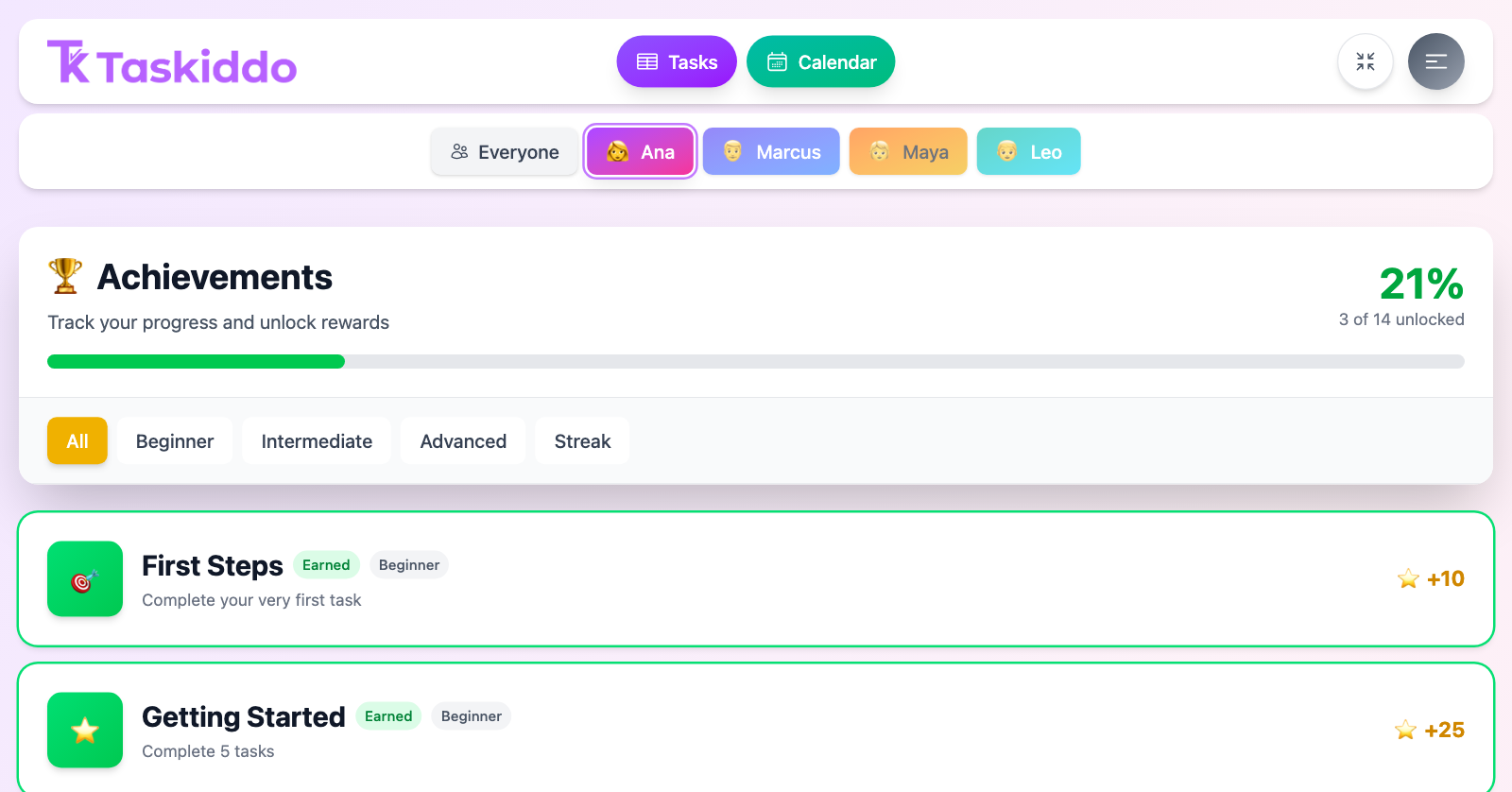
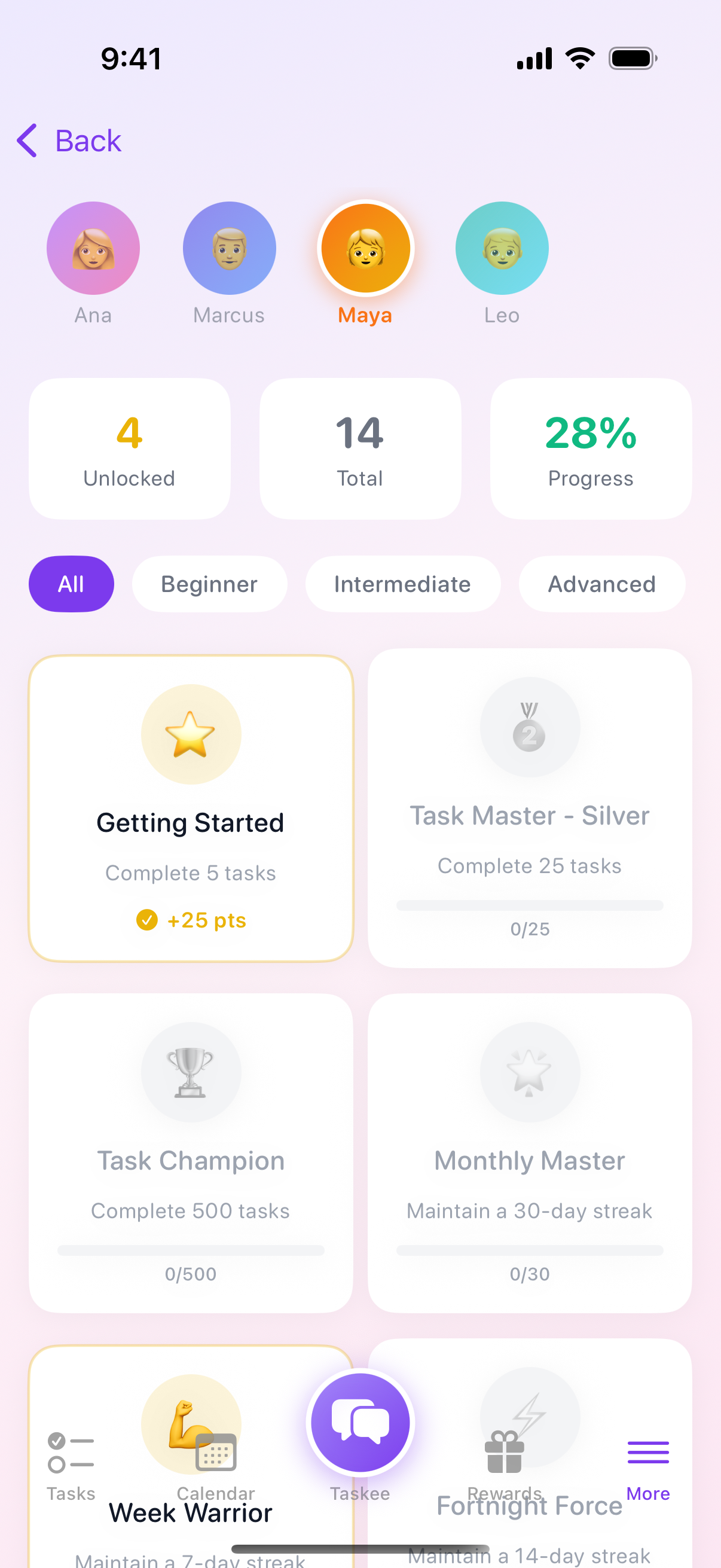
14 achievements to unlock
From "First Steps" to "Task Champion" — milestones that celebrate consistency, not just completion.
A reward catalog you control
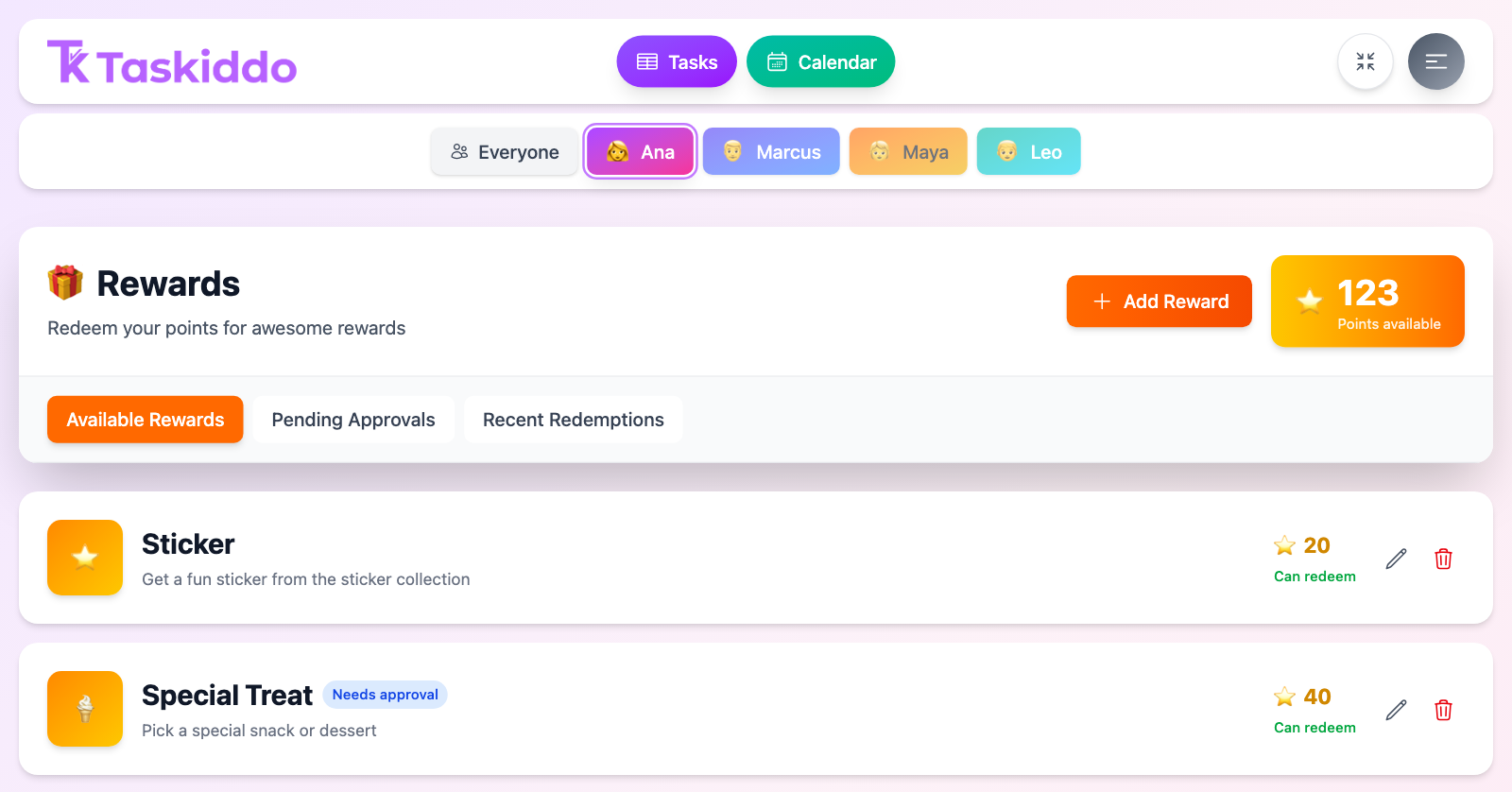
Everyone spends their points on rewards from a shared catalog — set each one to redeem instantly or require approval first.
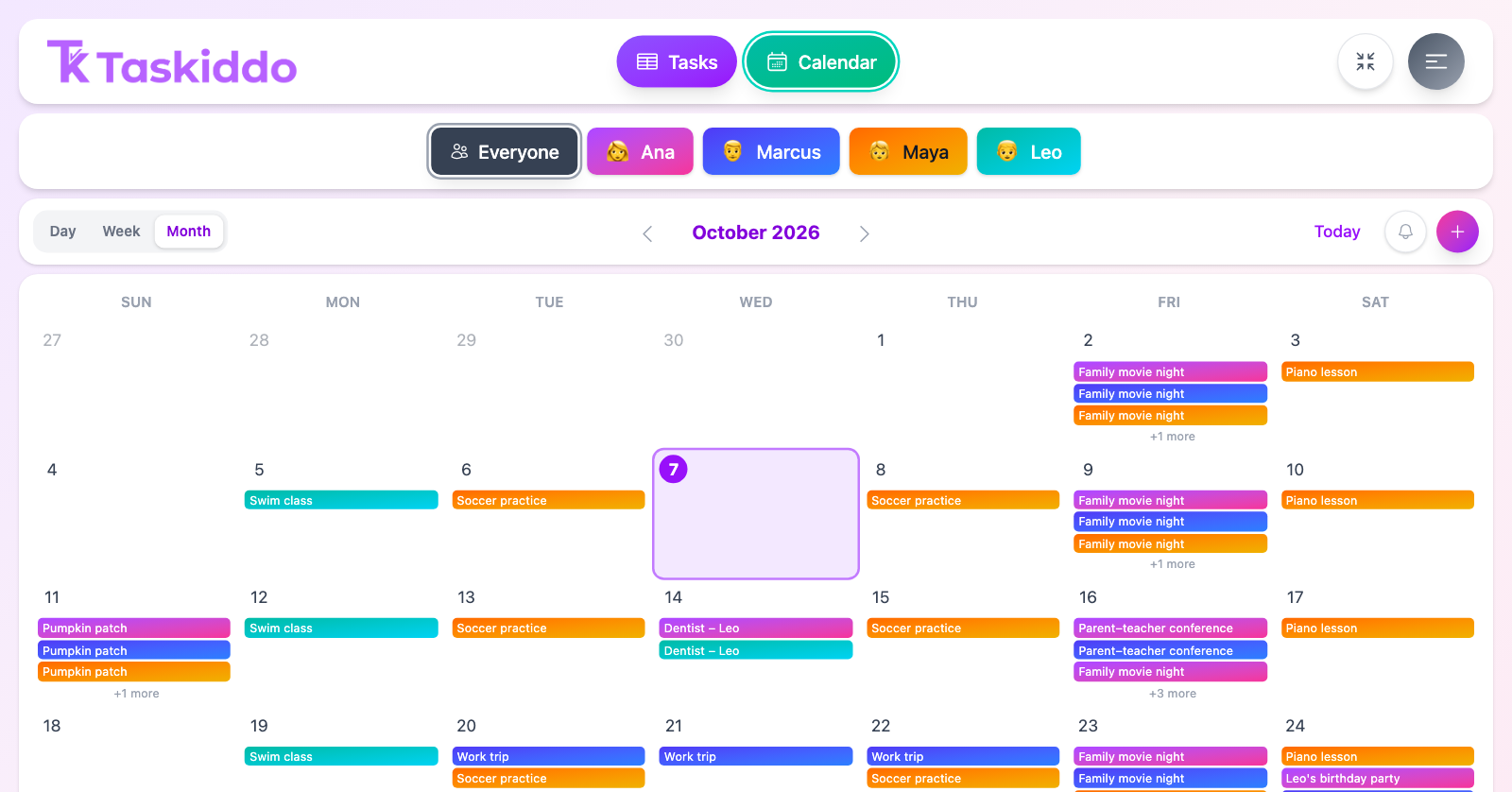
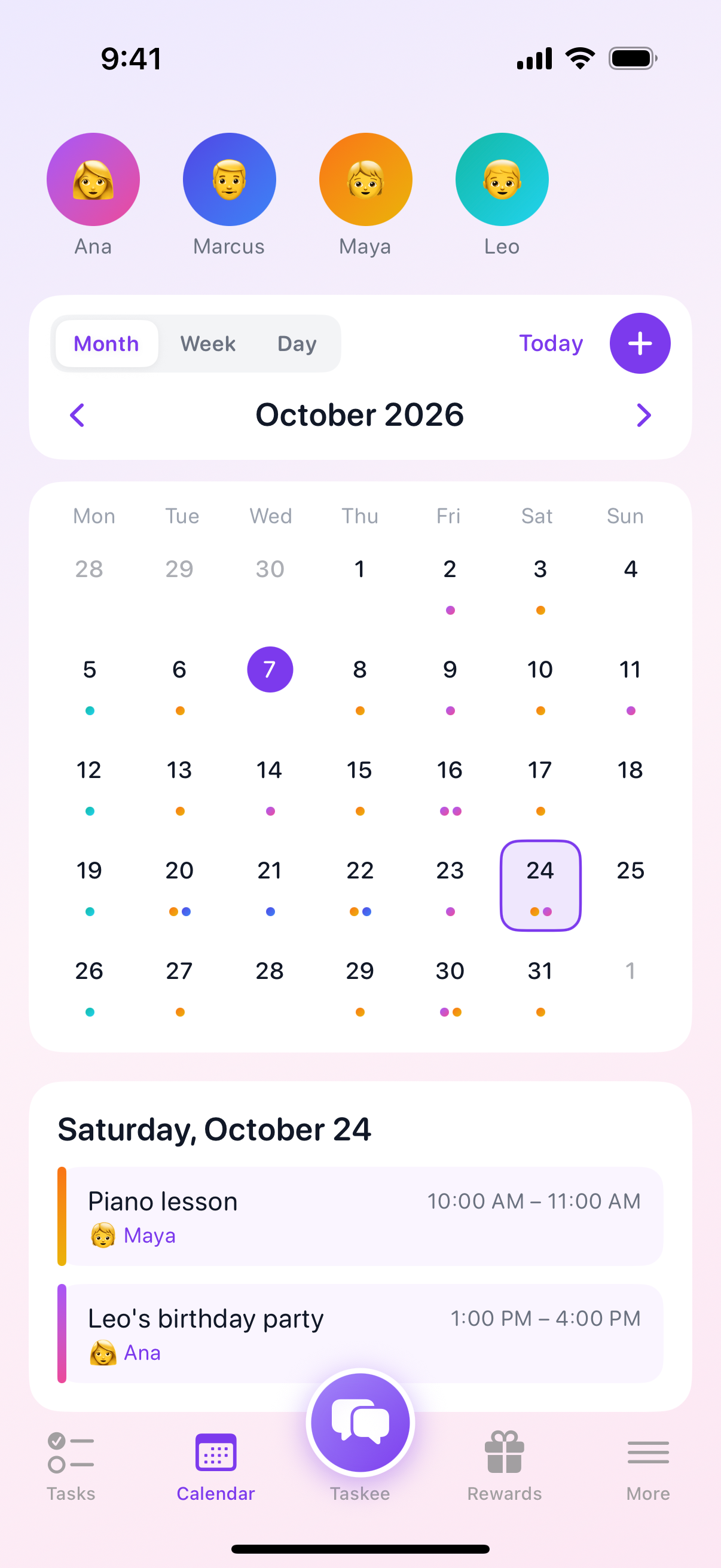
A shared calendar
Track appointments and events alongside tasks — all-day or timed, one-off or recurring, in month, week, or day view.
Snapshot: an honest history
Rewind to any day and see it exactly as it was — who owned each task, what it was called, whether it got done. Nothing gets rewritten after the fact, even when a task moves.
Taskee, your AI assistant
Ask what's due today, check points, or tell it to add a task — in plain language. Taskee always confirms before making any change.
Proof it got done
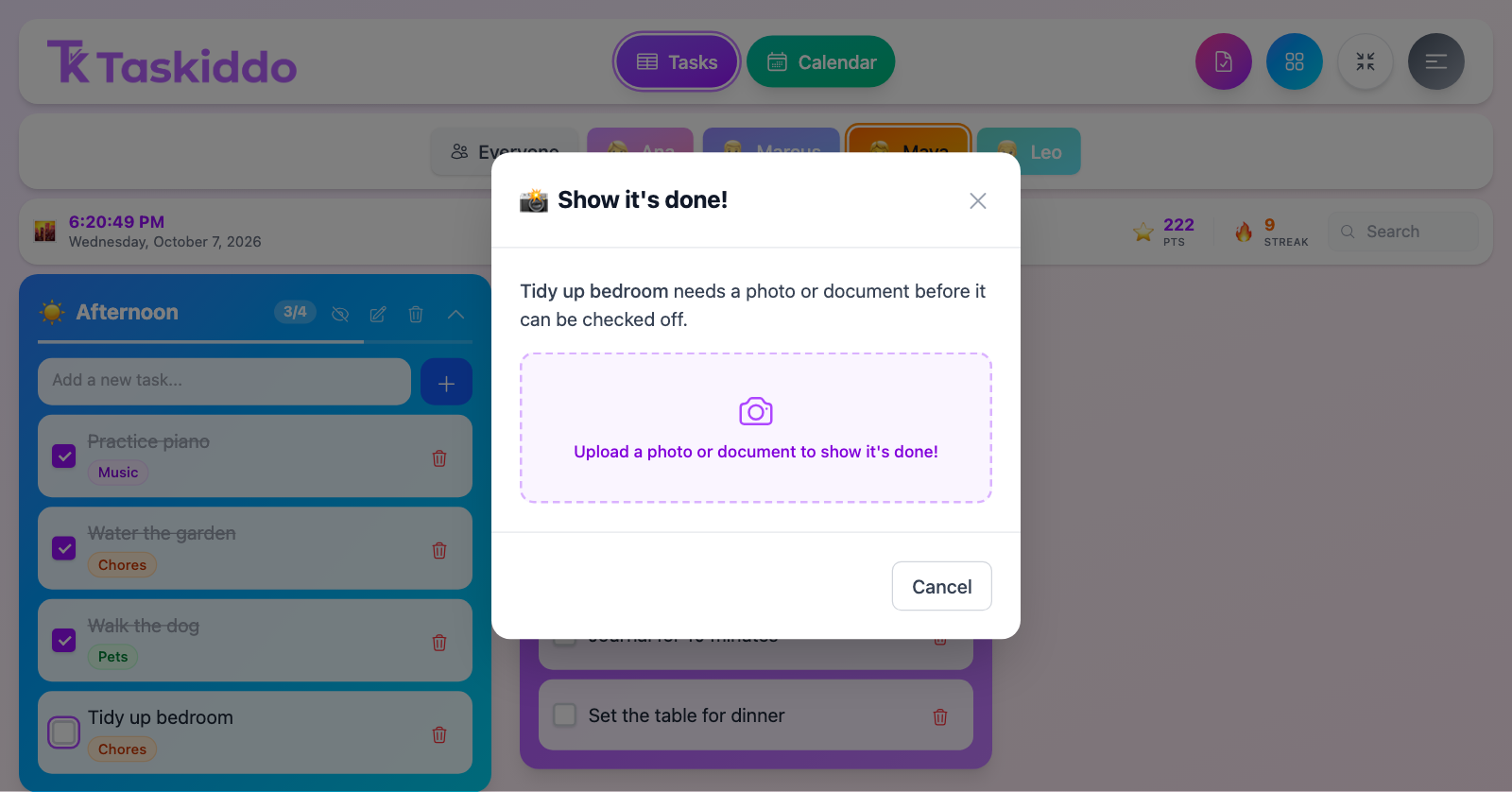
Ask for a photo or file before a task counts as complete, and attach instructions or worksheets to any task.
A weekly meal plan
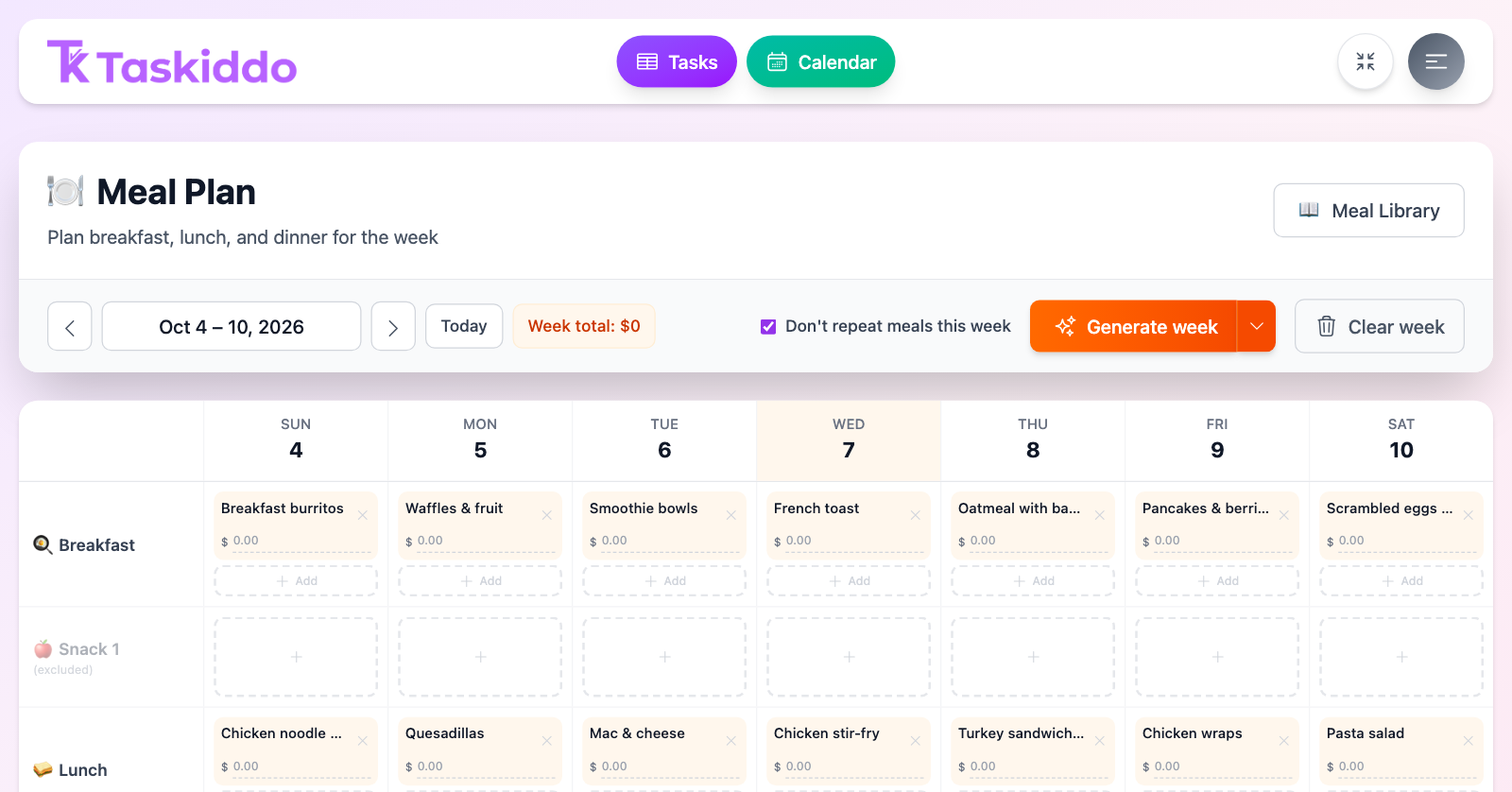
Plan the week's meals from your own meal library — auto-fill a week without repeats, then tweak it.
Share it with other adults
Invite a partner, co-teacher or teammate to the same household, with owner, admin, or member roles.
🚀 We're launching soon — questions? Email support@taskiddo.com
See it in action
What it actually looks like
On your phone
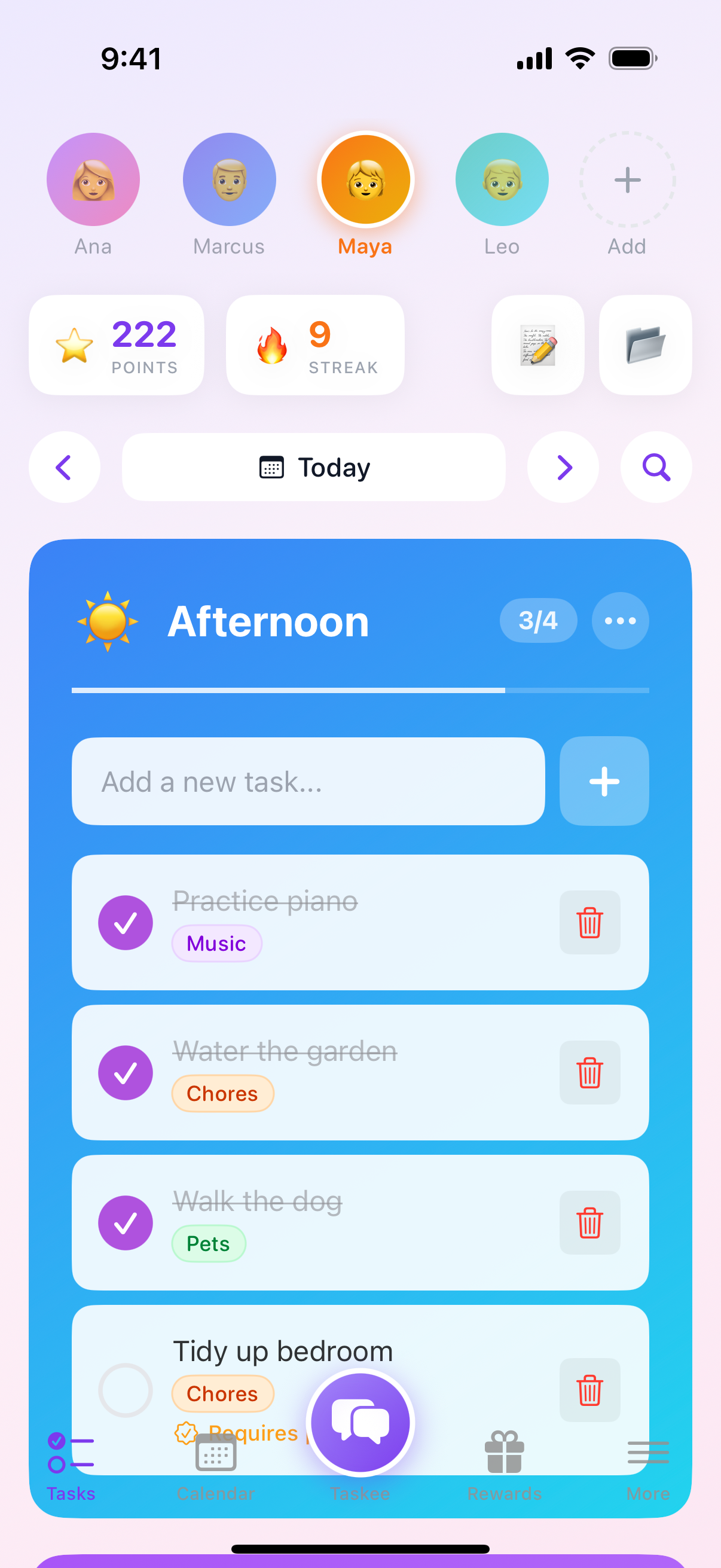
Native iOS app, built to sync
Now in beta on TestFlight. Real-time syncing across all devices. Works offline, stays in sync when you're back online.
The loop
Complete tasks. Earn points. Redeem rewards.
Points stack with streak and time-of-day multipliers, add up to achievements, and get spent in a shared reward catalog.
🍦
Special Treat
40 pts
🎮
Game Time
50 pts
📱
Extra Screen Time
50 pts
🌙
Stay Up Late
60 pts
🎬
Movie Night Pick
75 pts
🎉
Skip a Chore
100 pts
👫
Friend Playdate
150 pts
...and any reward you create
Screen time rules that actually hold
A household add-on: set daily limits, schedules, and blocked apps or sites per person — enforced by an agent that works even when the device is offline.
Learn moreDaily limits
Minutes per day, per person
Curfews
Locked outside allowed hours
Blocked apps
Games, launchers, anything
Blocked sites
YouTube, TikTok, and more
Works everywhere
On your phone, your Mac, wherever you are
A native iOS app in beta and a Mac app that sync in real time, plus an installable web app for everything else. Android is in testing.
📱
iOS app
Beta · native app, offline-first, syncs across devices
💻
Mac app
Event reminders and a menu bar icon
Download →
🌐
Web app
Installs to your home screen on any device
🤖
Android app
In testing · coming to Google Play