Screen time rules that actually hold
Windows beta · macOS in progressSet daily limits, schedules, and blocked apps or sites per person — enforced by an agent that keeps working even when the device is offline.
Download for WindowsRules
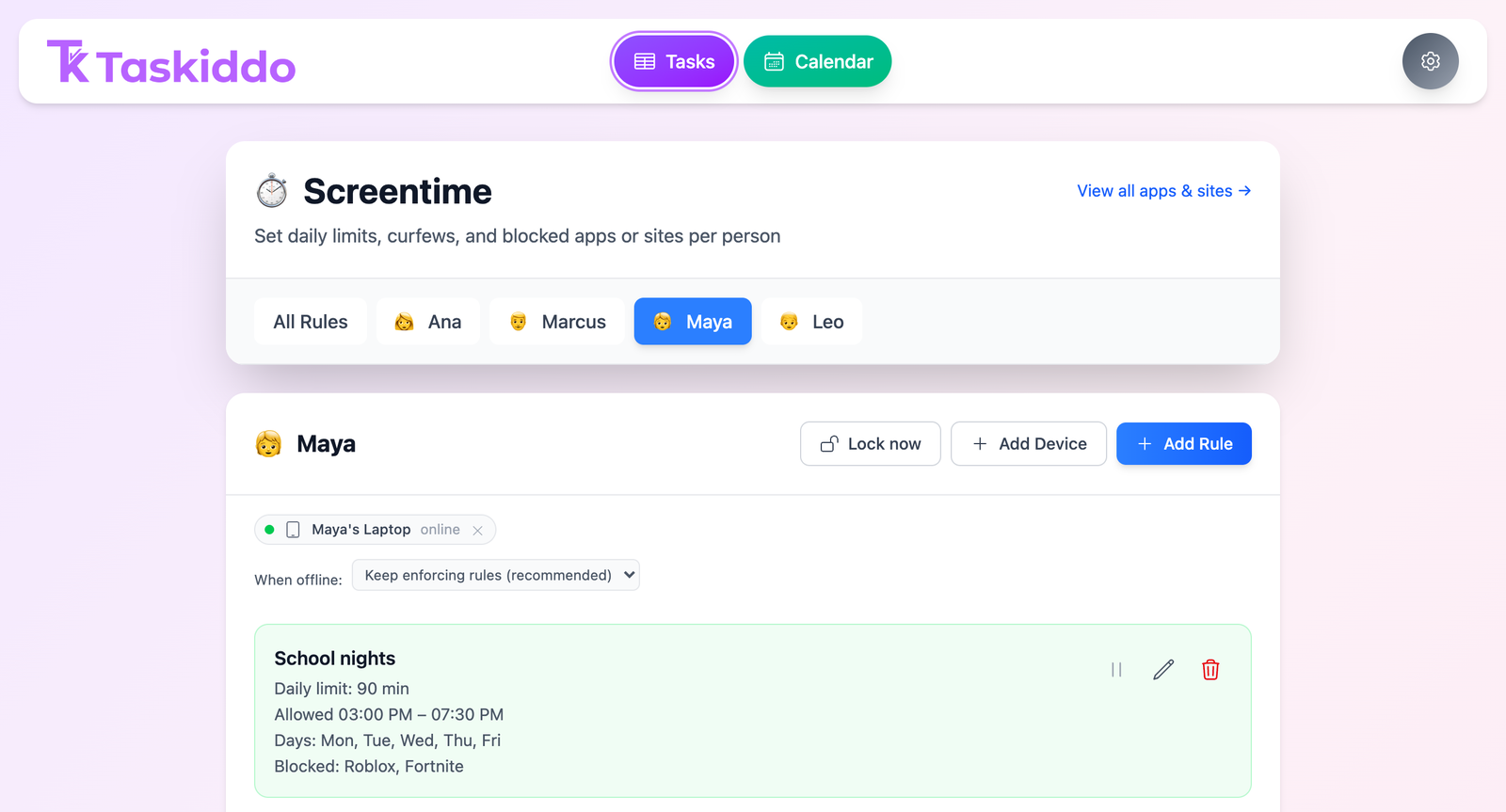
What you set, per person
Daily time limit
A maximum number of minutes per day, or no limit at all.
Curfews
A start and end time that the device stays locked outside of.
Day-of-week scheduling
Different rules for weekdays versus weekends.
Blocked apps
Block specific games or programs by name.
Blocked websites
Block specific domains, like video or social sites.
Multiple rules stack
The strictest rule always wins — shortest time limit, narrowest curfew, every blocklist combined.
Dashboard
What you see
Live device status
A status dot shows whether each device is online right now.
Revoke a device
Lost a laptop or done with it? Revoke access in one click.
Enforcement
How it works on the managed device
-
1
Pair the device with an 8-character code from your dashboard. The code expires after 15 minutes.
-
2
The agent checks policy every second, so limits and curfews apply almost immediately.
-
3
A grace period gives a warning before lockout — the screen locks when time's up, and re-locks if it's dismissed.
-
4
Blocked sites are enforced at the network level and re-checked every 5 minutes, so they stay blocked even if something tries to tamper with it.
Right now
What's true today
Windows 10/11 only. macOS support is in progress and not yet available.
The installer isn't code-signed yet, so Windows SmartScreen will show a warning during setup — full instructions are on the download page.
On shared computers, the enforcement helper currently starts only for the Windows account that ran the install — other accounts on the same PC need their own install.
Privacy & trust
Built to be hard to cheat, and easy to trust
No plaintext pairing codes
Pairing codes and device tokens are stored hashed, never in plain text — and cleared the moment a device is revoked.
No clock tricks
Usage is measured against real elapsed time and each day's allowance is calculated on the server using your account's timezone — winding the clock back or changing timezones doesn't buy extra minutes.
Data doesn't pile up
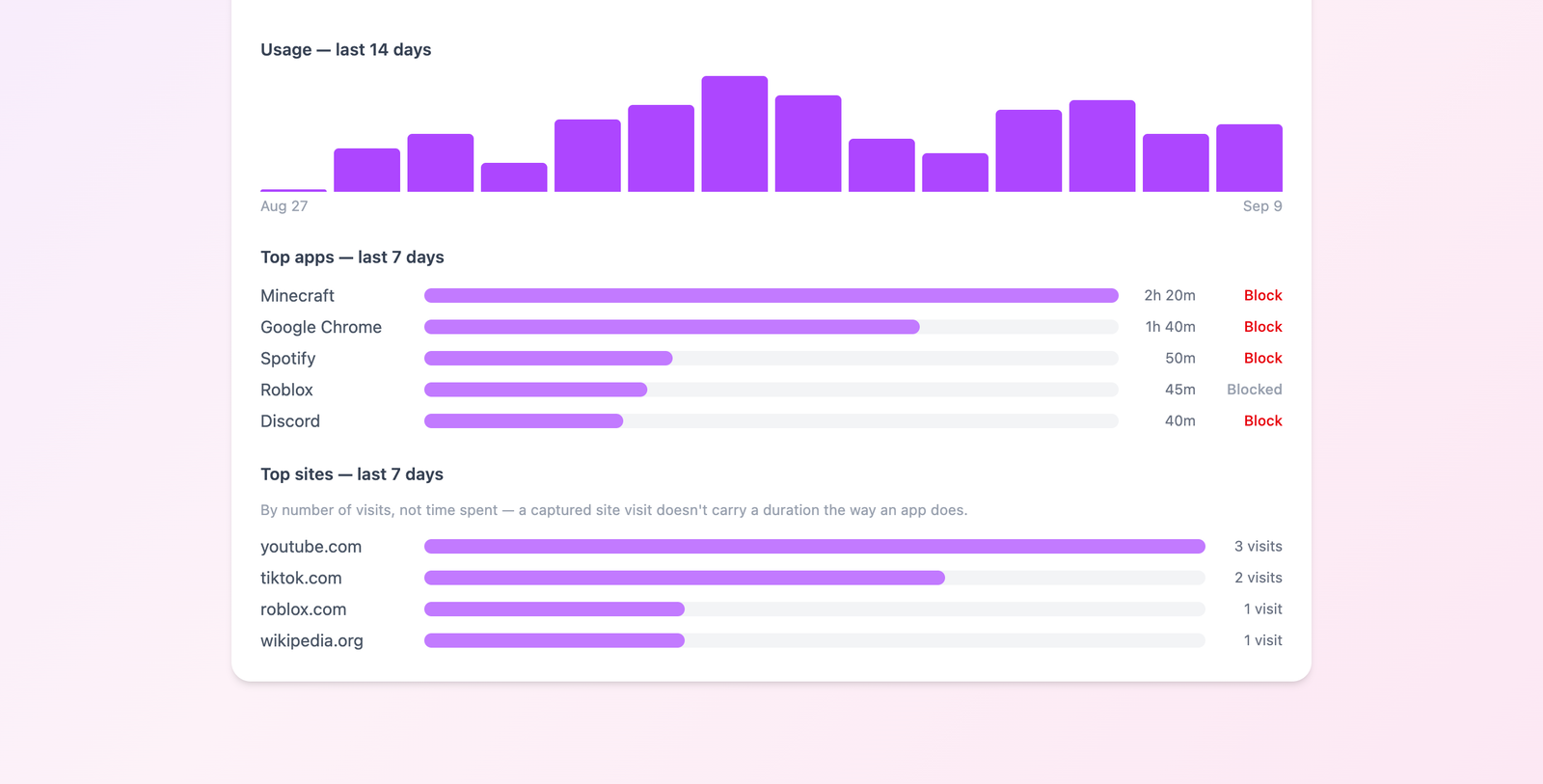
Detailed activity logs are automatically deleted after 30 days — only small daily totals are kept long-term.
Encrypted connections only
The agent only talks to Taskiddo over an encrypted connection — unencrypted connections are refused outside of local testing.
Ready to set it up?
Download the Windows agent and pair your first device in minutes.
Download for Windows